All Activities
Grades 3–5

Design a Wearable Communication Tool

by Heidi BarberDistrict Educational Technology SpecialistGoldsboro, NC

Design, build, and communicate! In this activity, students create wearable communication tools with Clixo and use shape, color, and structure to share messages without words.

Download PDF Grades 3–5
Design a Wearable Communication Tool
Download PDF

Activity Overview

Design challenge for learners to create a wearable object

Objective

Explore the meaning of shape, color, and structure with function and wearability

Total Time

45 mins

Grade Level

Grades 3–5

Group Size

Individual or pairs

Skills

  • Visual communication and symbolic thinking
  • Creative problem-solving
  • Design within constraints
  • Explaining and justifying design choices
  • Reflection and audience awareness

Materials

Introduce

10 - 13 minutes

Begin with a short discussion:

  • How do people communicate without words?
  • Where do we see wearable communication in real life? (examples: uniforms, badges, safety gear, medical bracelets)

Present the challenge:

  • Students will design a wearable communication tool that sends a clear message or serves a specific purpose.

Review design constraints:

  • The design must be wearable on the body (arm, wrist, shoulder, chest, etc.).
  • It must communicate one clear idea or function.
  • It must remain wearable while moving.

Build and Create

20-25 minutes

Students choose a purpose for their wearable, such as:

  • Identifying a role or responsibility
  • Signaling safety or caution
  • Communicating membership or identity
  • Sharing information without words
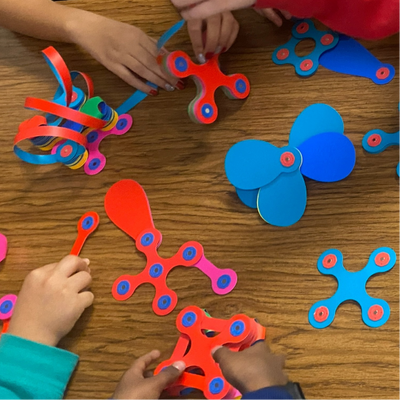
  • Students build their first prototype using Clixo.

Encourage testing:

  • Can it be worn comfortably?
  • Does the message make sense to others?
  • Does it stay in place when the wearer moves?
  • Allow time for revision based on feedback or testing.

Share and Reflect

10-13 minutes

  • Students present their wearable to a partner or small group.

Each student explains:

  • What their wearable communicates
  • Who the intended audience is
  • Which design choices support that message

Optional reflection prompts:

  • How would someone unfamiliar interpret your design?
  • What would you change to make the message clearer?

Optional Extensions

ELA Extension

Write a brief explanation or design statement describing the purpose and audience of the wearable.

Art & Design Extension

Focus on balance, symmetry, and visual emphasis.

Technology Extension (ISTE)

Photograph the wearable from multiple angles and annotate how design choices support communication.

Challenge Extension

Redesign the wearable for a different audience or context using the same materials.

Tips

  • Encourage originality — no two designs need to look alike.
  • Focus feedback on clarity of communication, not appearance.
  • Photograph wearables while students are standing or moving (hands and backs only).
  • This activity works especially well as an open makerspace or library center.

Educational Standards

Download PDF